Your hours, invoices, and VAT.
Finally in one place.
The free invoicing app for freelancers who work by the hour.
Invoicing free forever · No installation · Export all your data anytime
How it works
From customer to sent invoice in three steps.
Add your customer
Add your client with the details that will appear on the invoice.
Create a project and log hours
A job with your hourly rate. You enter your hours in the calendar, across multiple days too.
Send your invoice
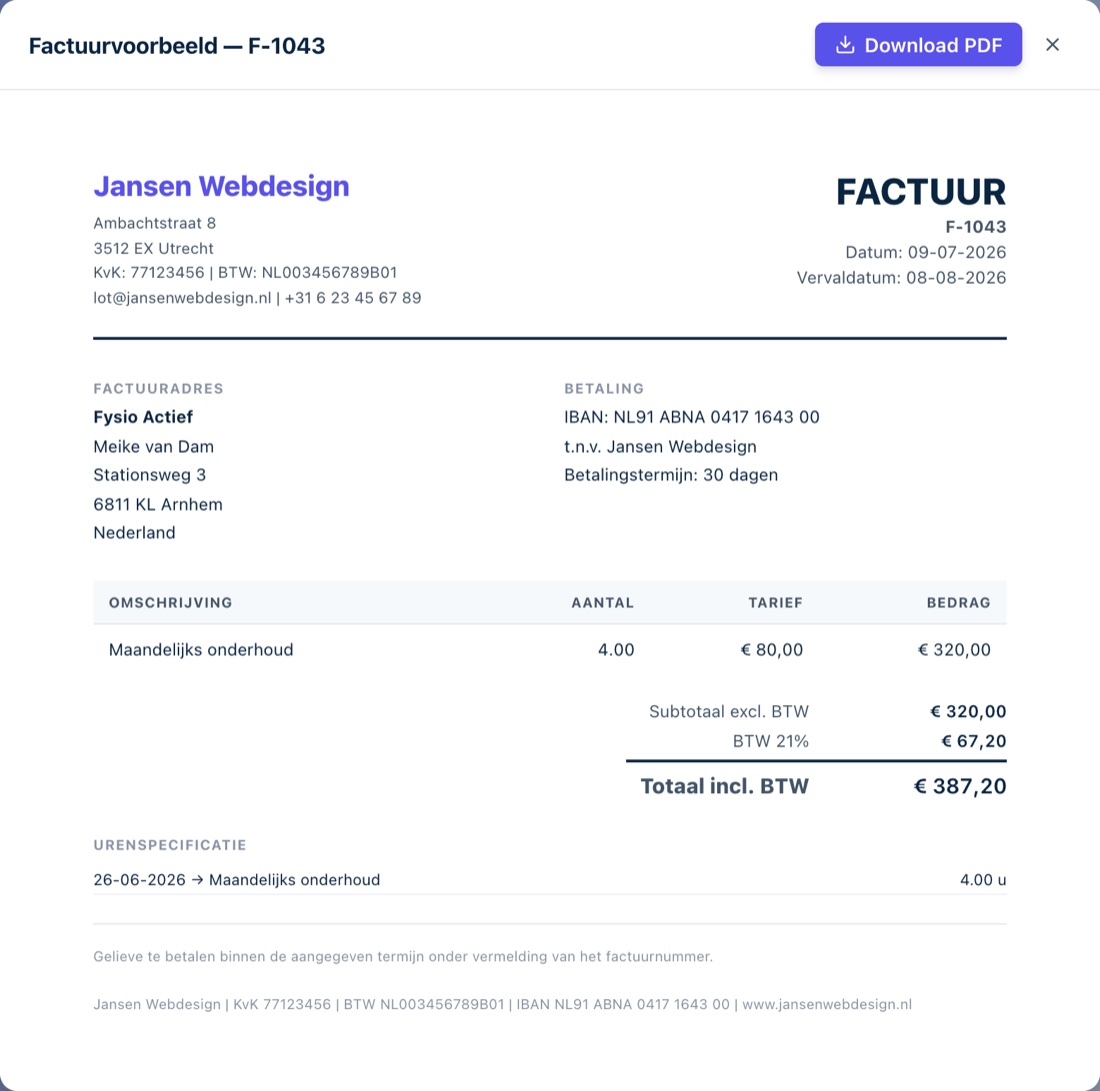
Your hours automatically go onto a PDF invoice, with a time breakdown included. Send it and check it off.
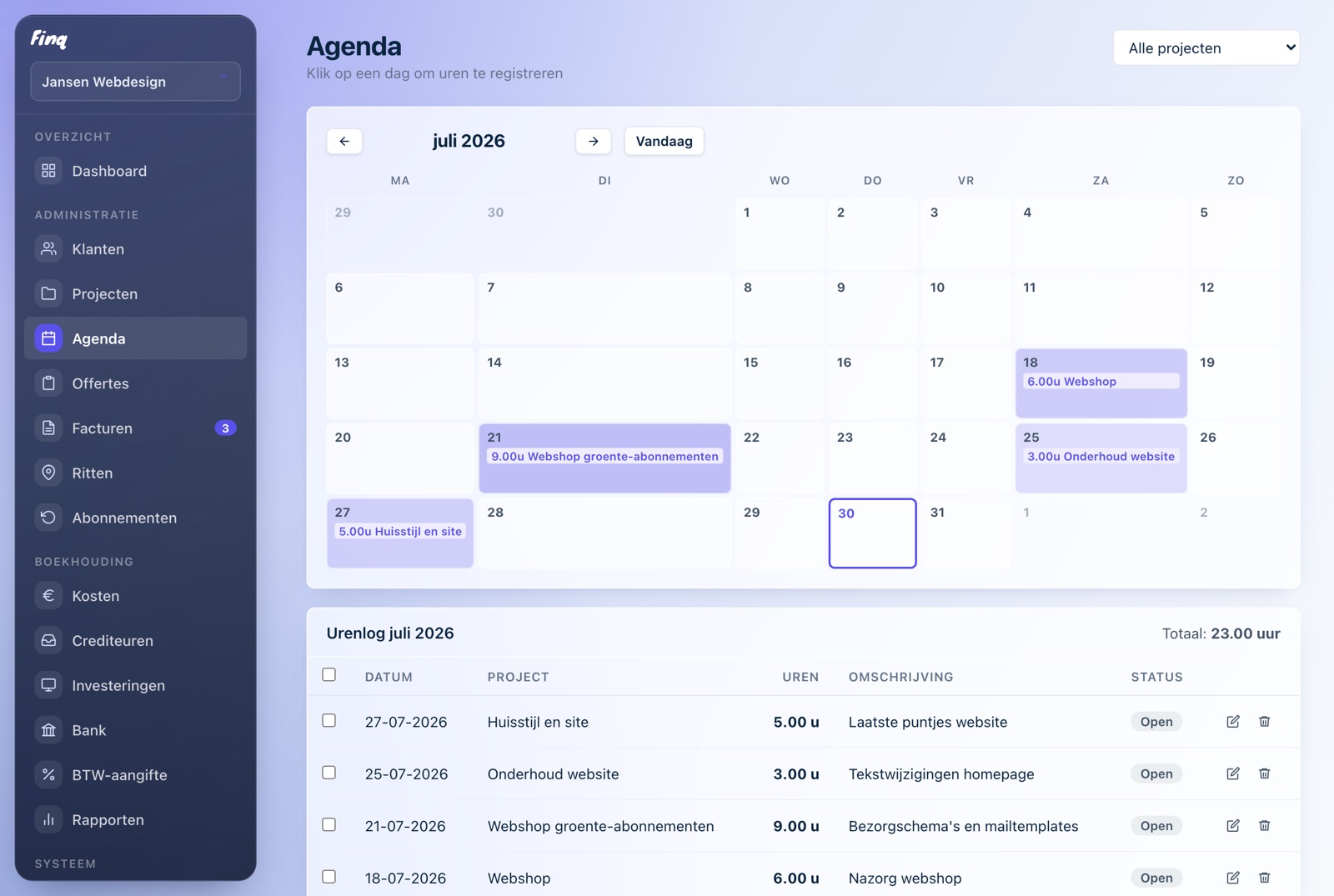
From hours to invoice in seconds.
Click your hours into the calendar and Finq turns them into a professional PDF invoice in one click, time sheet included.


And the rest of your records too
Not ten separate apps and spreadsheets, but one overview.
Expenses & receipts Finq Plus
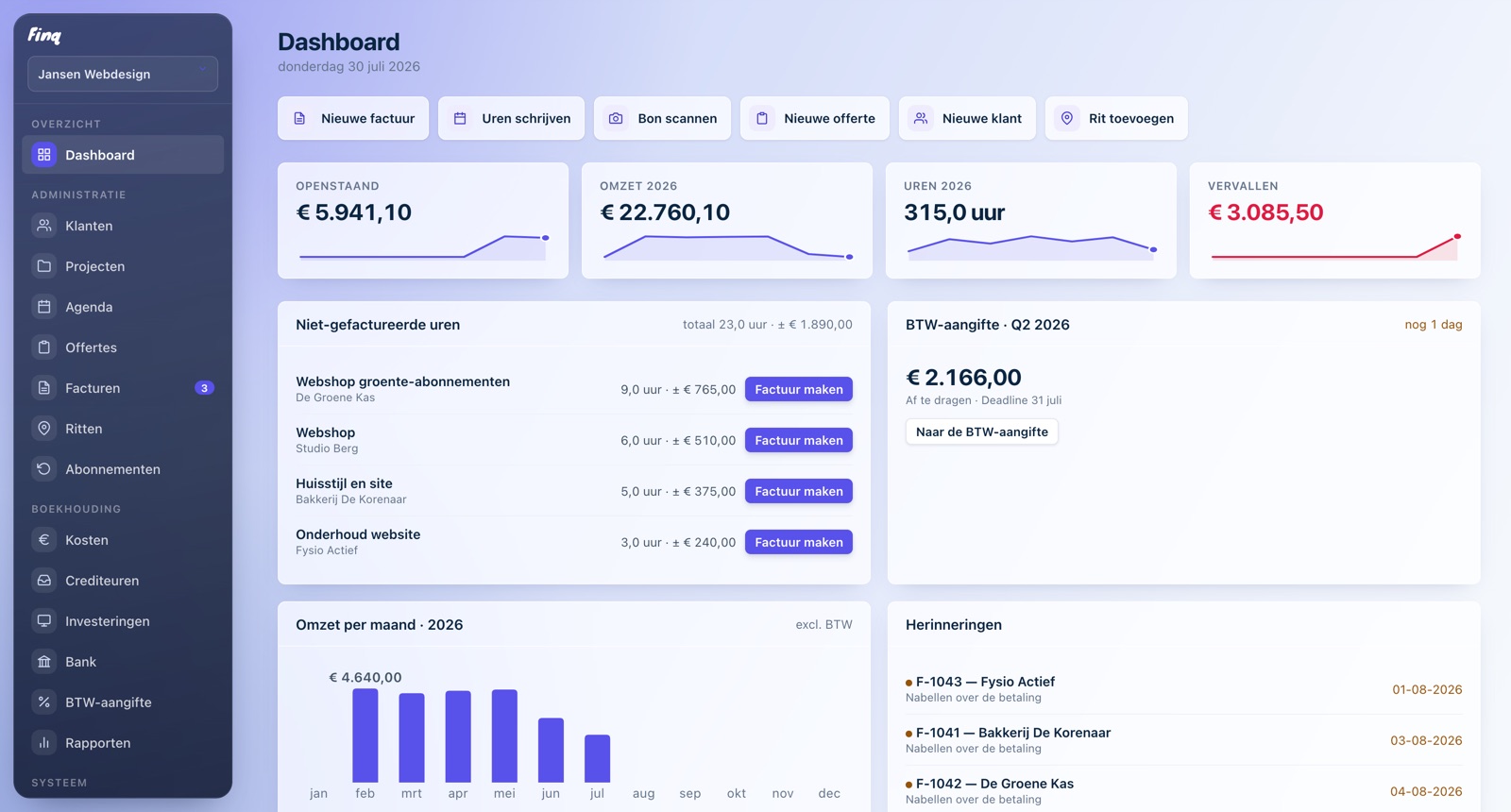
Record business expenses with a photo of the receipt attached. VAT is calculated automatically, neatly sorted by category.
Mileage log
Business trips at €0.23 per kilometer, round trips automatically count double. And billable to your customer.
VAT return Finq Plus
A quarterly overview with exactly the amounts you enter with the Dutch Tax Administration. Copy them over, done.
Bank & reports Finq Plus
Import your bank transactions, link them to invoices and expenses, and see in the reports right away how your year is going.
Subscriptions Finq Plus
Retainer clients on a monthly fee? Set up the subscription once and Finq creates the invoices for you, every week, month or year.
Invoice link
Share a public link your client can use to view and download the invoice online, no account or attachment needed.
Finq works where you work.
On your phone, on your laptop, even on a patchy connection. Your records simply travel with you.

Receipt scannedOptimised for your phone
Receipts, invoices and hours, straight from your phone.

Hours updatedWorks when you work
Connection dropping out? Finq keeps working and syncs later by itself.

Invoice paidLess admin, more calm
Hours onto the invoice in one click, VAT included automatically.
Coming from Excel or another package?
Your clients and details are in Finq in no time, and your data can always leave with you.
Read the switching guideWhat does it cost?
Invoicing stays free. Really.
€ 0forever
- Unlimited invoices and quotes
- Log hours in the calendar
- Mileage log
- Customers and projects
- Share invoices via a link
- PDFs with your own logo
€ 4,99per month, incl. VAT
- Expenses with receipt scanning
- Investments and depreciation
- Bank import and reports
- Quarterly VAT return
- Recurring invoices
- Up to three businesses in one account
Finq was built by a freelancer who just wanted to quickly log his hours and invoice. No hassle, no expensive subscription, and preferably free. That is exactly what Finq became.
Hours, quotes, invoices, and trips remain free forever. Only those who also want to do their accounting in Finq pay a small amount per month for it. No catches.
Including a comparison with other tools
Frequently asked questions
Is Finq really free?
The invoicing part is, forever: invoices, quotes, customers, projects, time tracking, and mileage logging. You don't need payment details for it and there is no trial that expires. Only the accounting part (expenses, bank, VAT return, and reports) is a separate subscription of €4.99 per month, which you first try free for 30 days.
What happens if I cancel Finq Plus?
You can cancel monthly and keep access until the end of the paid period. After that, only the accounting part is locked; your invoices and quotes keep working. Your accounting data is kept safe and is right back as soon as you reactivate. Exporting is always possible, even without a subscription.
Where is my data stored?
In your own secure account, in a database within the EU. Only you can access your records. Nobody else, not even other users.
Can I export my data?
Always. With one click you download a full backup of your records as a file. You are not locked into anything.
Does it work on my phone or tablet?
Yes. Finq runs in the browser and adapts to your screen. There is nothing to install or update.