Subscriptions

Recurring invoices for freelancers: bill subscriptions on autopilot

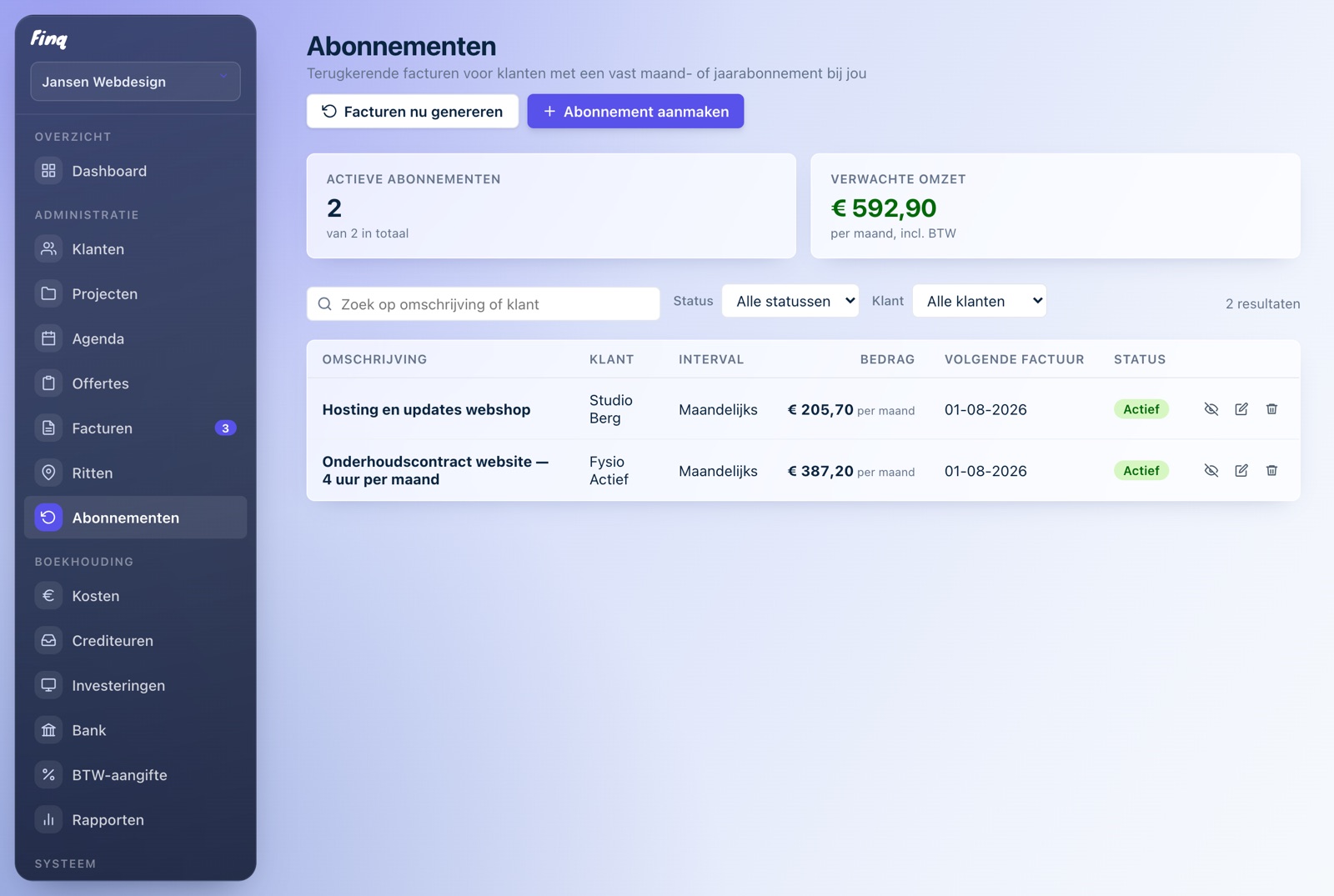
Retainer clients with a fixed monthly fee are wonderful, until you find yourself retyping the same invoice every month. In Finq you set up the subscription once: client, amount and interval. From then on Finq creates the invoices for you, every week, month or year. You review and send.

Part of Finq Plus, free to try for 30 days

Set up once, always on time

Pick a client, add the lines and the amount, and choose weekly, monthly or yearly. Finq creates the invoice automatically on the fixed day, with the right invoice number and the right VAT.

You stay in control

Generated invoices appear as drafts among your regular invoices. You review and send them yourself, as a PDF or through an invoice link. Nothing ever leaves the door unseen.

Pause and stop without hassle

Client skipping a month? Pause the subscription with one click; the paused period is not billed afterwards. Resume any time, and an end date stops the subscription automatically.

Straight into your records

Every subscription invoice is a regular Finq invoice: it counts toward your outstanding amounts, your revenue and your VAT return. No separate lists next to your administration.

Who are subscriptions useful for?

For any freelancer with recurring arrangements: website maintenance, hosting, a fixed number of hours per month, service contracts or coaching plans. Anything you currently invoice manually every month can become a subscription in Finq.

It saves more than typing. Forgetting to invoice is the most expensive mistake a freelancer can make: it is revenue you already earned. With a subscription in Finq the invoice is ready on the day it should exist, even when you are busy.

How does it work?

You create a subscription the way you create an invoice: pick a client, fill in the lines, choose the VAT rate. You also pick an interval (weekly, monthly or yearly), a start date and optionally an end date. From then on Finq creates a draft invoice on every due day, marked with a subscription icon in your invoice list.

Away for a while? Finq catches up on missed periods neatly, each with the correct invoice date. Subscriptions are part of Finq Plus, which you can try free for 30 days without payment details.
Frequently asked questions

Does Finq also send the invoices to my client automatically?

No, deliberately not. Finq creates the invoice automatically as a draft; you review it and send it yourself as a PDF or through an invoice link. Nothing goes to your client unseen.

Can I pause a subscription?

Yes, with one click. No invoices are created during the pause, and the paused period is not billed retroactively when you resume.

Which intervals can I choose?

Weekly, monthly or yearly, with a fixed billing day that follows from the start date. You can also set an end date; the subscription then stops automatically.

Are subscriptions free in Finq?

Subscriptions are part of Finq Plus (EUR 4.99 per month, incl. VAT), together with expenses, bank and the VAT return. You can try it free for 30 days, without payment details.

Just try it, you are not locked into anything

Creating an account is free, without payment details. Your first invoice is ready within minutes.